Jim Rossman: Are you really unsubscribed?
Published in Science & Technology News
We all get a lot of emails, and every once in a while, it feels good to purge the inbox and unsubscribe from the ones that are getting on our nerves.
In the United States, it is a federal law that marketing emails must include an “unsubscribe” link.
A lot of people I know are afraid to click on them, for fear of getting signed up for more emails.
I can’t tell you how many people ask me if those unsubscribe links are real.
My answer is, they should be, but I’m betting not all of them do what they say they will do.
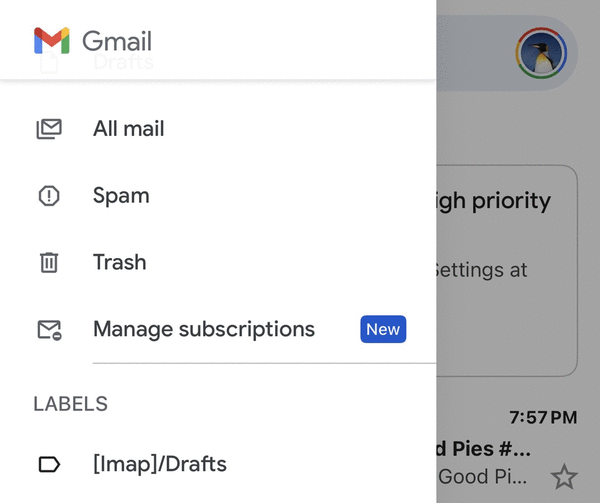
Google recently unveiled a new feature for Gmail called Manage Subscriptions, which is found in the Gmail left sidebar (in the web interface).
You can also find the feature in the Gmail app on your Android or iPhone by tapping the three-line menu on the upper left and choosing Manage Subscriptions.
If you don’t see the option on your phone, you may need to update the version of the Gmail app on your phone (I did).
When you click on Manage Subscriptions, you’ll see a list of senders, sorted by how often they send you messages.
Each sender also has an “unsubscribe” link.
Google says their unsubscribe link triggers Gmail to send an unsubscribe request (using the sender’s list -‑ unsubscribe mechanism if available) and stop future marketing messages from that sender.
Yahoo! also has an unsubscribe feature for Yahoo! Mail users.
You can usually find the Unsubscribe link either at the top of the email or at the bottom of the message next to the sender information.
As I mentioned above, not all emailers will actually unsubscribe you, but if you find yourself continuing to receive unwanted messages after going through the unsubscribe process, your best bet is to mark the unwanted messages as spam and let your email provider filter those out for you.
©2026 Tribune Content Agency, LLC.






Comments